instrument not recognizing retroprinter is connected
Posted: Fri Apr 14, 2023 1:57 am
Hello,
Relative newbie trying to get the retroprinter working.
The problem seems to be that the instrument is looking for some sort of feedback or indication that the printer is ready or is connected. The instruments notes that the "printer is not ready" even when the retroprinter is powered up. I tried messing with the handshake settings but none of those seem to have an effect. I tried adjusting the jumpers on the retro printer as well.
Any ideas on what feedback it maybe looking for and how to emulate it with the retroprinter?
Some info that may or may not be relevant:
Printer it is replacing: Okidata microline 320 9pin. Manual states it can emulate Epson FX(ESC/P), IBM Proprinter III (PPSII), and Oki Data Microline Standard Co-resident.
Instrument: Perkin Elmer 2400 CHNS/O Series II elemental Analyzer.
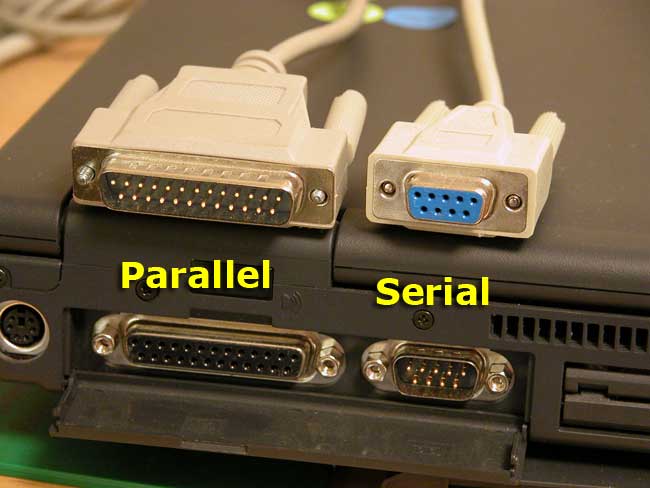
Looking at the male parallel port cable coming from the instrument, it only has 8 pins: 1, 2, 3, 5,6,7,8, and 20.
Retroprinter setup: I used the default directory for the data. Tried setting emulation to Epson, IBM, and TXT. I have a Centronics to parallel port converter on it. So instrument -> prallel port cable -> parallel port convert to Centronics -> retroprinter.
Thank you in advance for any help!
Relative newbie trying to get the retroprinter working.
The problem seems to be that the instrument is looking for some sort of feedback or indication that the printer is ready or is connected. The instruments notes that the "printer is not ready" even when the retroprinter is powered up. I tried messing with the handshake settings but none of those seem to have an effect. I tried adjusting the jumpers on the retro printer as well.
Any ideas on what feedback it maybe looking for and how to emulate it with the retroprinter?
Some info that may or may not be relevant:
Printer it is replacing: Okidata microline 320 9pin. Manual states it can emulate Epson FX(ESC/P), IBM Proprinter III (PPSII), and Oki Data Microline Standard Co-resident.
Instrument: Perkin Elmer 2400 CHNS/O Series II elemental Analyzer.
Looking at the male parallel port cable coming from the instrument, it only has 8 pins: 1, 2, 3, 5,6,7,8, and 20.
Retroprinter setup: I used the default directory for the data. Tried setting emulation to Epson, IBM, and TXT. I have a Centronics to parallel port converter on it. So instrument -> prallel port cable -> parallel port convert to Centronics -> retroprinter.
Thank you in advance for any help!